When a dentist friend approached me with a simple request—"I need an app to take standardized clinical photos without monthly fees"—I knew this was a perfect opportunity to build something practical and useful. OrthoPhoto was born from a real need: dental professionals wanted a streamlined way to capture, organize, and export clinical documentation without the burden of subscriptions, accounts, or complicated workflows.
The Problem
Clinical photography in dentistry requires consistency and precision. Dentists need to capture specific angles—intra-oral shots, facial views, and arch photos—for every patient. The existing solutions were either too expensive with recurring subscription fees, overly complex for staff to use, or required tedious manual organization and editing afterward. My friend wanted something simple: hand the phone to any team member, follow the guided prompts, and get a professional composite document ready to share with specialists or add to patient records.
The Solution
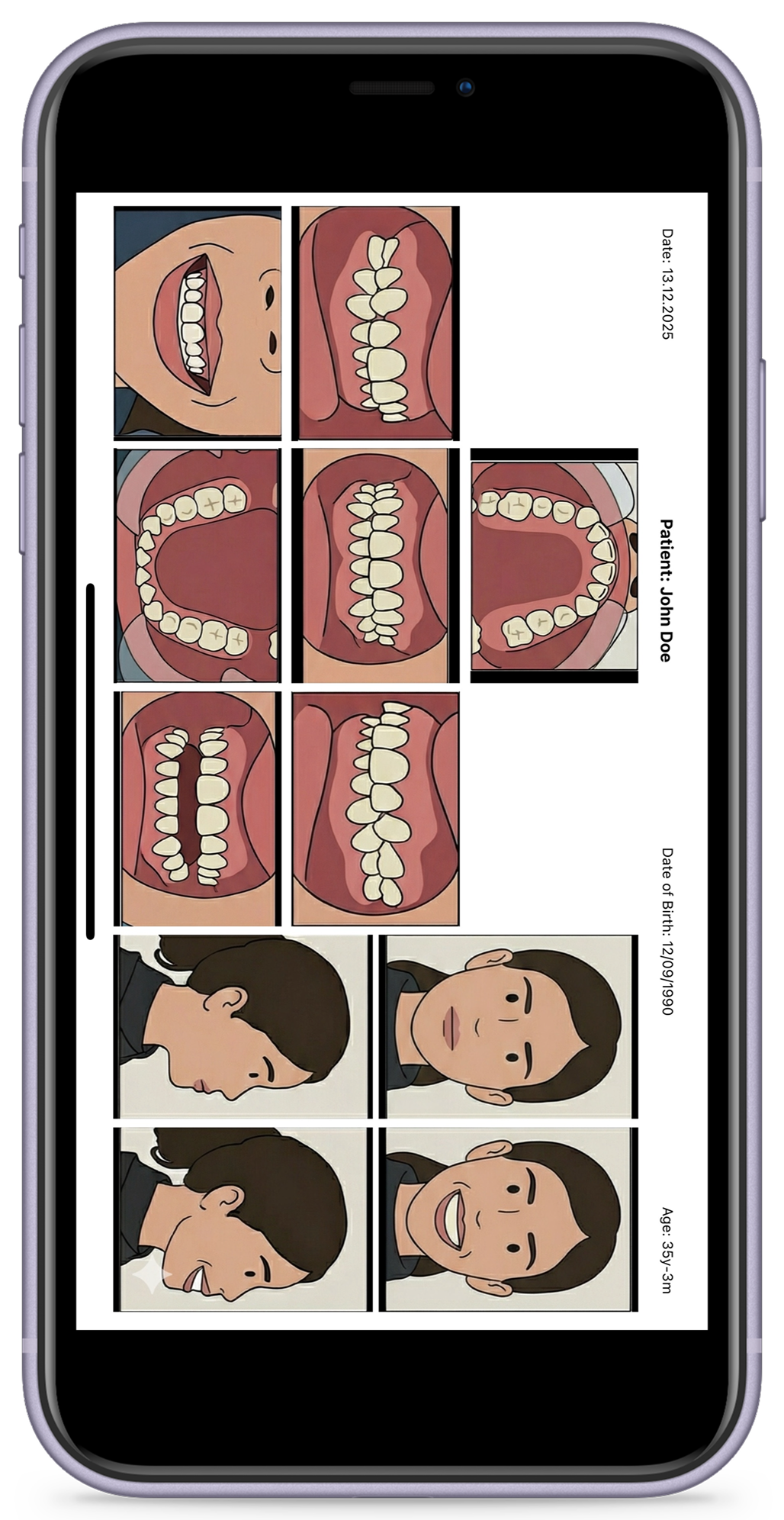
OrthoPhoto is an iOS app built with React Native and Expo SDK 54 that transforms an iPhone into a professional clinical photography tool. The app guides users through a standardized capture sequence, automatically arranges photos into a clinical composite grid, and exports everything as PDF, JPEG, or individual images—all processed locally on the device with no account required.
Core Features
Guided Capture Flow
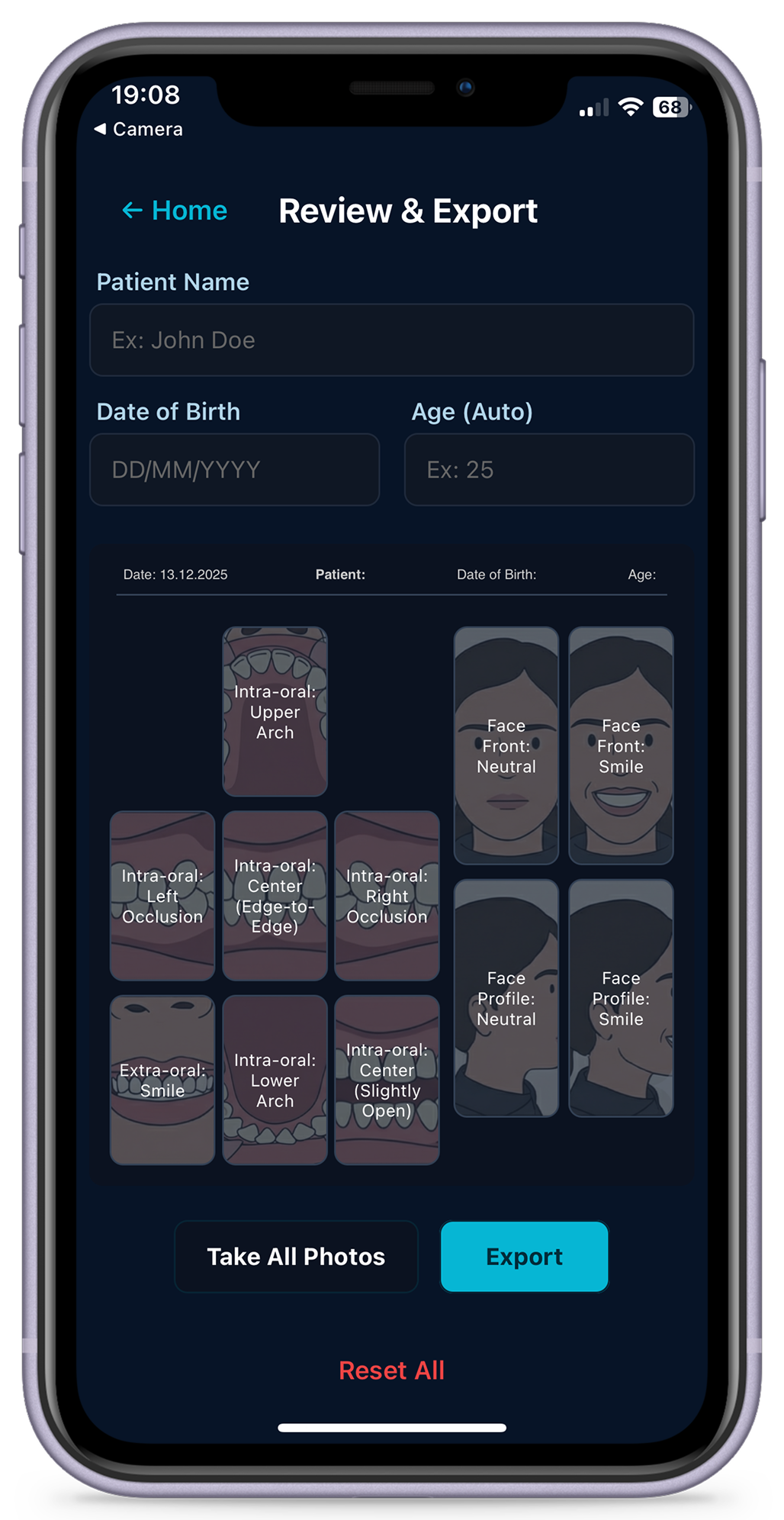
Step-by-step prompts for all required clinical shots: arches, intra-oral angles, and facial views. Template overlays help ensure consistent framing every time.
Smart Cropping
Custom cropper with pinch-to-zoom, pan, rotation slider, and adjustable handles. Powered by expo-image-manipulator for precise edits.
Patient Management
Simple patient info entry: name and date of birth. The app automatically calculates age for accurate documentation.
Flexible Export
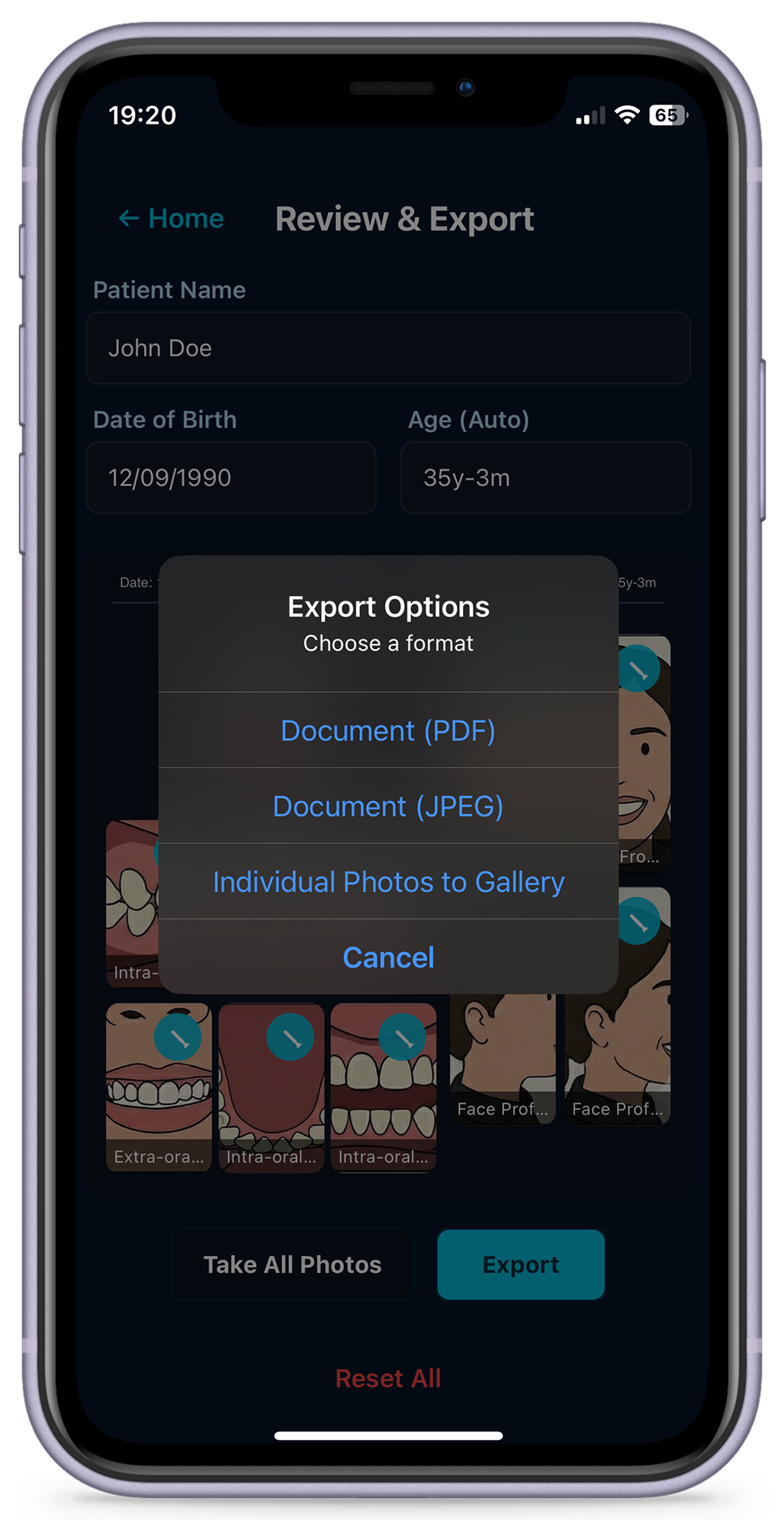
Export as PDF with precise cm-based layout, composite JPEG via react-native-view-shot, or save individual photos to gallery.
Multi-Language Support
Full localization in English, French, German, and Italian. Language preference persists across sessions via AsyncStorage.
Privacy First
All processing happens locally on your device. No accounts, no cloud storage, no data leaves your phone without your permission.
Technical Implementation
Technology Stack
OrthoPhoto is built with React Native 0.81.5, React 19.1.0, and Expo SDK ~54. This stack provides native performance while allowing rapid development and easy updates. Key libraries include:
- expo-camera: High-quality photo capture with auto-resize
- expo-image-manipulator: Precise cropping and rotation
- react-native-view-shot: Composite image generation
- expo-file-system: PDF generation with cm-based precision
- AsyncStorage: Persistent language preferences
Capture Flow Design
The capture flow is a guided sequence that ensures no required shot is missed. Users see template overlays for each angle, making it easy to frame photos consistently. The app uses gating logic to ensure a photo exists before advancing, and offers retake/crop options at every step. When returning from the review screen, the app switches to single-capture mode for replacing specific slots.
Export System
The export system is designed for professional use. PDFs use precise cm-based placement with a header containing patient metadata (name, DOB, age, and date). The layout mirrors the review screen: dental photos in a left grid, facial photos in a right grid. JPEG exports use react-native-view-shot to capture the entire layout as a single image, while individual photo exports save each image to the device gallery.
Internationalization
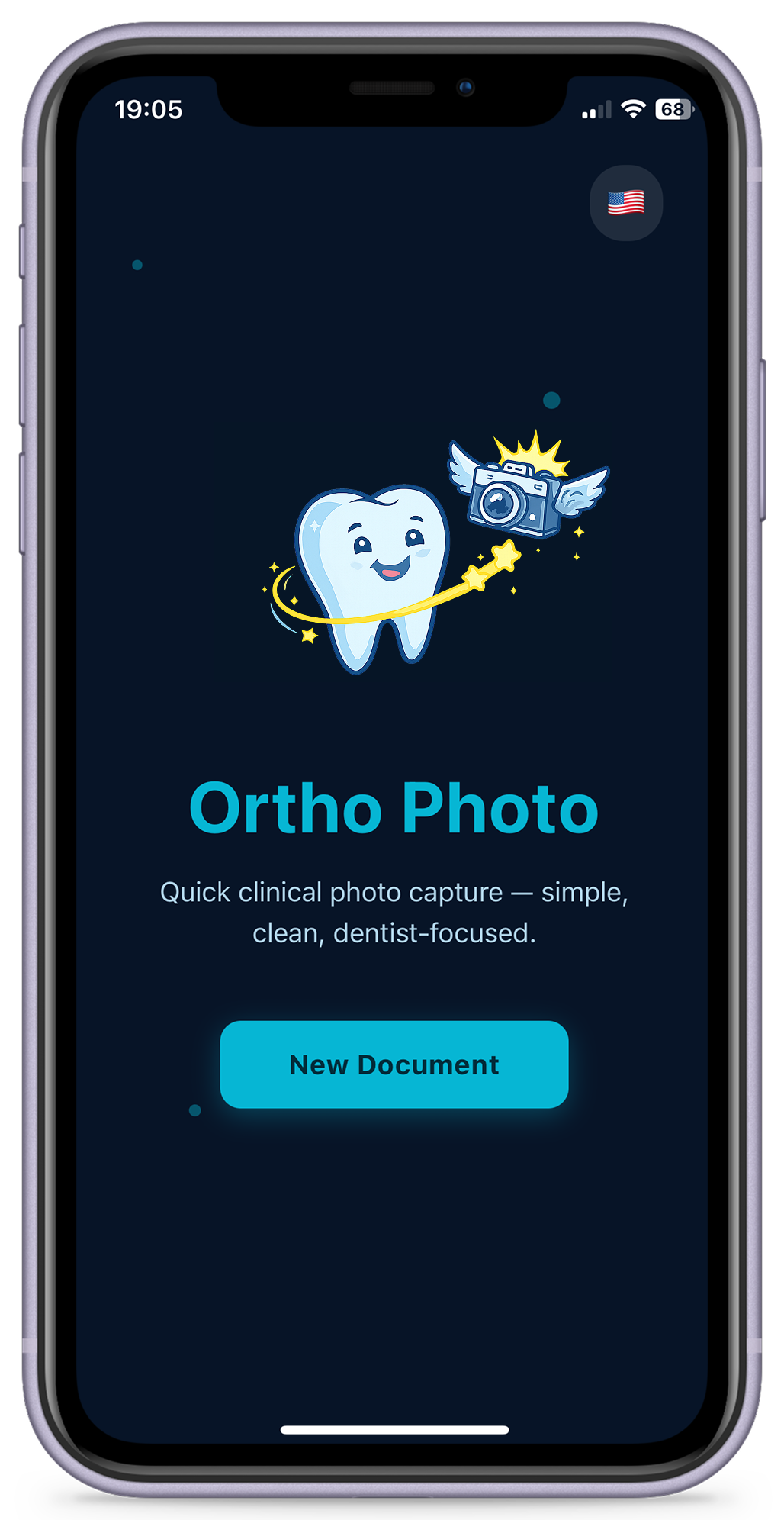
Full localization was a priority from day one. The app supports English, French, German, and Italian across all UI labels, capture prompts, export dialogs, and units. The system bootstraps from the device locale with a fallback to English, and user preferences are stored in AsyncStorage for persistence. The home screen features an animated logo and a language switcher with flag emojis (🇺🇸/🇫🇷/🇩🇪/🇮🇹).
Challenges and Solutions
PDF Generation on iOS
Generating PDFs with precise layout control on iOS required careful work with expo-file-system. I implemented a cm-based coordinate system to ensure professional-quality output that matches printed standards. The challenge was converting between screen coordinates and PDF points while maintaining image quality and aspect ratios.
Image Cropping UX
Creating an intuitive cropping interface was crucial. I built a custom modal cropper with pinch/zoom/pan gestures, a rotation slider, and adjustable crop handles. The challenge was making it feel natural while providing precise control—especially important for clinical photos where framing matters.
Capture Flow State Management
Managing the capture flow state—knowing which photos exist, handling retakes, and switching between sequential capture and single-shot replacement—required careful state management. I implemented gating logic to prevent advancing without a photo, and mode switching to handle different navigation patterns.
Lessons Learned
User-Centered Design
Building for a specific user (a dentist) with clear requirements taught me the value of focused design. Instead of adding features "just in case," I concentrated on making the core workflow as smooth as possible. The result is an app that does one thing extremely well.
Local-First Architecture
Processing everything locally eliminated privacy concerns, reduced complexity, and removed dependencies on backend infrastructure. This architectural choice made the app faster, more reliable, and easier to maintain—while also being a key selling point for privacy-conscious medical professionals.
Expo's Power for Rapid Development
Expo SDK proved invaluable for rapid iteration. Features like expo-camera, expo-image-manipulator, and expo-file-system provided robust, well-tested solutions that would have taken weeks to implement from scratch. The managed workflow allowed me to focus on the user experience rather than low-level native code.
Conclusion
Building OrthoPhoto was a rewarding experience in solving a real-world problem with modern mobile technology. The app demonstrates that you don't need complex backend infrastructure or subscription models to deliver professional-grade tools. Sometimes the best solution is the simplest one: a focused app that does exactly what users need, with no extra friction.
The project reinforced my belief in user-centered design, local-first architecture, and the power of modern cross-platform frameworks like React Native and Expo. If you're a dental professional looking for a straightforward clinical photography solution, or a developer interested in building practical mobile apps, I hope OrthoPhoto serves as a useful example.
OrthoPhoto is currently available for iOS. Visit the website to learn more and download the app from the App Store.